Bug Cleaners cleaning guide
Follow the clothes pickup prompt and read washer/dryer clothing counts. The demo basket route was replaced; finish mandatory bugs and the optional percentage shown on the HUD.
Most of a Bug Cleaners job is cleaning, not exterminating. Trash bags, dirty dishes, grime-streaked walls and a laundry chain with its own tools — this is where players lose the most time, and where the H key does the most work.
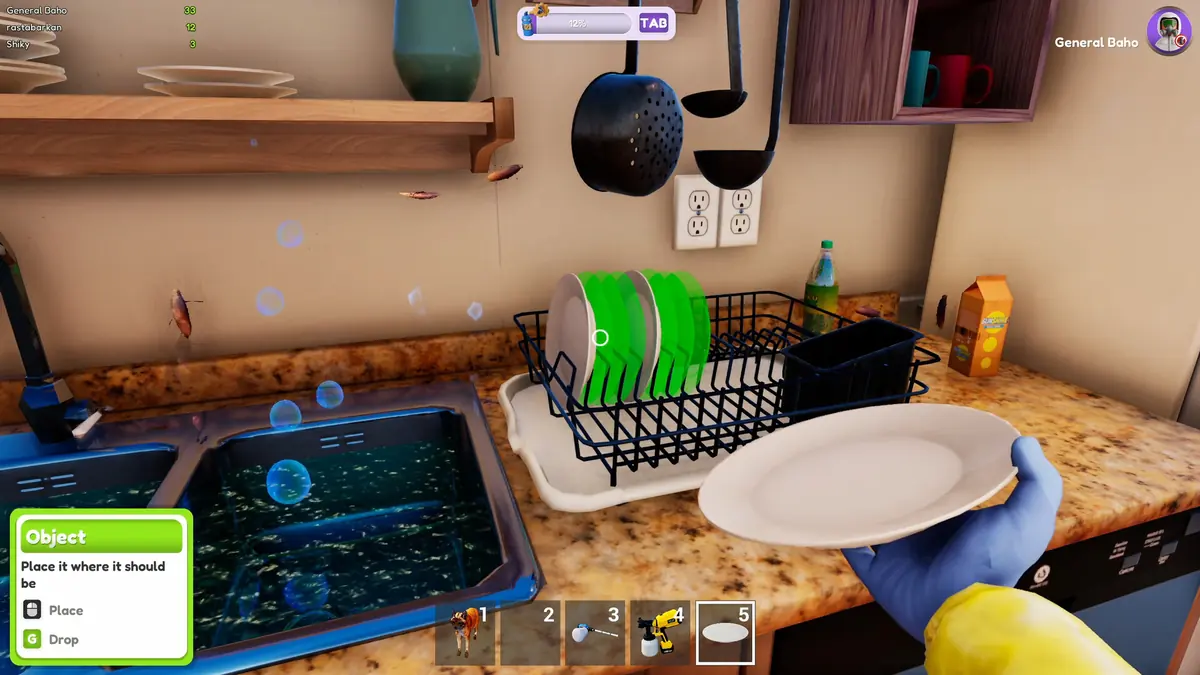
What counts as an objective
Every job hands you a list, and the list is the contract. The recurring task types:
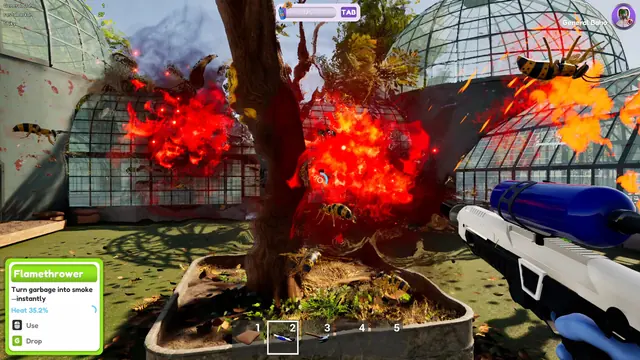
- Trash. Bags and piles around the property. The blowtorch is the usual answer for burnable piles; bags have to be carried off rather than ignored.
- Dishes. Sink and counter work — one of the first things new players miss, because it does not look like a task until you stand in front of it.
- Grime. Walls, tiles and surfaces with dirt that needs washing off — closer to a power-washing minigame than bug hunting.
- Laundry. The chain that confuses everyone: clothes, the washer and the dryer.
- Windows. Opening or cleaning windows is an objective type, and a common early stumbling block.
Laundry in the release build
The release build uses a washing machine and dryer. The basket-and-hanging route from the old demo is no longer the route to follow.
- Read the laundry objective and approach the clothes. Patch 0.5.3 adds a pickup prompt, so use the control shown by the object.
- Follow the task to the washer. Hover the washer to read the exact number of clothes currently on it, rather than judging a pile by appearance.
- Use the machine's current interaction prompts and track the task state. Hover the dryer as well when checking where the remaining clothes are.
- If the task appears stuck, compare the count at both machines before hunting for more laundry. The day-0 patch repaired the washer, and 0.5.3 further improved both machines' reliability.
- Press H for the remaining task objects. Finish mandatory bug tasks, then check the optional percentage instead of assuming every last chore is required.
The old basket is not a missing truck tool to recover with J. For a disappearing current tool, use tool reset.
Hunting the Nutty Bars in the store
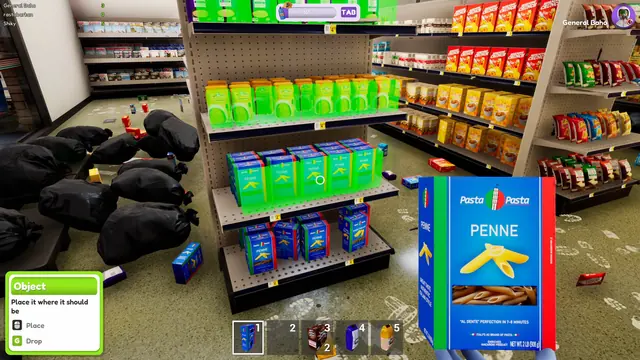
The convenience store hides Nutty Bars, the collectible players lose the most time on. Asked about two missing bars on September 28, the developers gave two tips: press H and the missing ones shine, and clearing the shop first makes the leftovers easier to spot — "people usually miss the ones in the laundry room, there is exactly 2 there". If the Beetle refuses a bar or its health bar disappears, update for the October 2 fixes. That patch also corrects the twelve-bar defeat case after quitting and reloading.
Finding the tasks you missed
Press H. The game highlights outstanding task objects in your current view with a solid colour — added in the June Next Fest patch because players were wandering for minutes hunting the last chore. If H highlights nothing, you are in the wrong room; walk elsewhere and try again.
The hint visuals were sharpened in July, so a modern build shows highlighted objects clearly rather than faintly. On an old demo build where H feels useless, that is the version, not you.
What patch 0.5.3 changed (October 12): washing and drying machines were made more reliable, clothes now show a pickup prompt, and the target completion percentage now sits at the top of the screen, so you can see how much of the optional checklist a finished map asks for.
Honest expectations
Some demo players bounced off the ratio: one Steam review described the game as "about 90% cleaning and dispose of waste, the other 10% killing some bugs". That is a fair description of the loop — if you want a pure extermination game, the cleaning half will frustrate you; if you liked PowerWash Simulator-style chores, the bug hunting is the bonus rather than the point.
FAQ
How do you clean dirty clothes in Bug Cleaners?
Use the clothes pickup prompt added in 0.5.3, then follow the current laundry task to the washer and dryer. Hover each machine to read its clothing count. The basket-and-brush collection advice describes the older demo.
What does the H key do in Bug Cleaners?
It highlights remaining task objects in your field of view, so you can find the last chore in a finished-looking room. Added in the June Next Fest patch, improved in July.
Why can I not pick up the clothes?
In the demo they could not: dirty clothes had to be brushed first, then collected with a laundry basket. The release uses washers and dryers; use the current pickup prompt and the machine counts described above.
Is the whole game just cleaning?
No — cleaning is the larger half. Nests and bugs are the threat layer; trash, dishes, grime and laundry are most of the checklist on any job.
When you can finish the job
Complete the mandatory bug-related objectives first. After that, patch 0.5.3 requires only the following share of optional tasks:
| Players | Optional tasks required |
|---|---|
| 1 | 75% |
| 2 | 80% |
| 3 | 85% |
| 4 | 90% |
Read the target beside your current percentage at the top of the screen. An unfinished optional chore is not the same as an unfinished mandatory nest or bug objective. Finished maps receive a completion medal.
Store and Greenhouse checks
The October 2 patch made the Greenhouse's rear trash functional and added the Wash & Shop Swarm receipt-trash task. When missing cleanup credit, inspect the task type before treating every loose object as the same objective. Refrigerator interaction now has a “Refrigerator Door” label.
For the Beetle, the October 2 fixes address not eating a Nutty Bar, a missing health bar, and the case where twelve bars failed to defeat it after quitting and reloading. Update before retrying that older failure; the patch does not make every optional cleanup task mandatory.
Sources: 0.5.3 changes, October 2 task fixes, settings and interaction options.